
Microsoft Copilot vs a custom AI setup: which one fits your company?
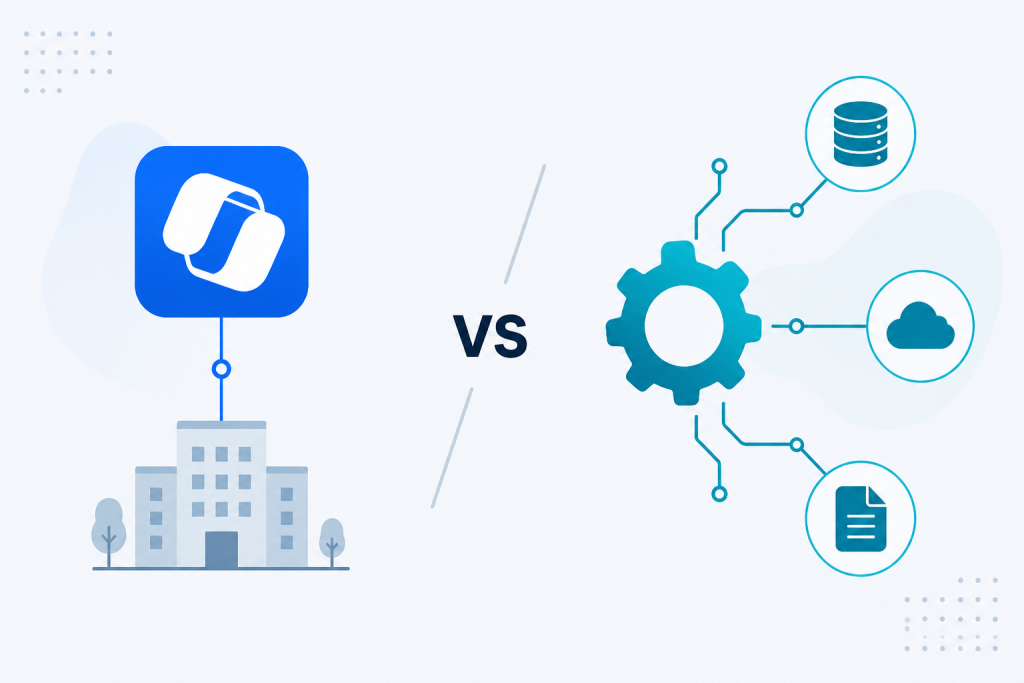
Microsoft Copilot has arrived in many IT departments. The promises sound convincing: AI directly in Word, Excel, Teams and Outlook. No infrastructure of your own, little development work and a fast start for many people.
Still I hear the same question from IT leads and managing directors: „Is Microsoft Copilot enough, or do we need a custom AI setup?“
The honest answer: it depends. And it depends on very concrete things: Where does your data sit? Which processes should improve? How sensitive is the information? And how much custom logic does the use case need?
Microsoft Copilot and a custom AI setup are therefore not direct opponents. They solve different problems. The question that matters is not which technology is better, but which setup fits the business process.
What Microsoft Copilot does well
Microsoft Copilot is especially strong on tasks that sit directly in Microsoft 365. If you already work with Word, Excel, Teams, Outlook and PowerPoint, you get AI support where daily work already happens.
- Email drafts and summaries in Outlook
- Meeting summaries and conversation prep in Teams
- Presentations from bullet points in PowerPoint
- Analysis and support with tables in Excel
- Summaries and writing work in Word
That works quickly and without an AI development project of your own. For many office tasks Copilot can therefore bring a real productivity gain.
If a company mainly uses Microsoft 365 and wants to speed up generic office work, Copilot is often the most sensible first step. You do not have to build custom software for every AI requirement.
Where Microsoft Copilot hits limits
The decision gets interesting as soon as the requirements go beyond classic office work. Many companies have not kept their most important information and processes in Microsoft 365 alone for a long time.
Own data sources. What happens with information from ERP, CRM, DMS, specialist apps or databases? Microsoft offers several ways to connect further sources and extend Copilot. Copilot knows SharePoint and mail well. As soon as company knowledge from ERP, an old DMS or specialist apps is added, a custom knowledge base is often the better path.
Specific processes. Copilot can summarise an email. But what happens when an incoming invoice has to be checked against an order, matched to a delivery note, flagged on differences and then sent to the right place? Or when a claims notice has to be classified, checked for completeness and then taken into a specialist system?
Those processes consist of several steps, rules, data sources and decisions. A general AI assistant is often not enough. You need custom process automation: AI where unstructured data arrives, classic integration where rules are enough.
Data protection and compliance. The question of data processing also has to fit the use case. Microsoft Copilot works inside the Microsoft cloud and brings matching security and compliance functions. That can be enough for many companies. For especially sensitive data or strict regulatory requirements a different architecture can be necessary, for example an environment of your own, isolated infrastructure or a locally run model.
Important here: a custom AI setup is not automatically more privacy-friendly. What counts is where data is processed, which vendors are involved, which access rights exist and how the whole architecture is secured.
Cost and number of users. Copilot usually creates per-user licence cost. With a larger workforce the question can therefore appear whether every person actually needs their own Copilot access, or whether a custom AI setup for one defined process is more economical.
The other way around you must not underestimate development, operations and maintenance cost for a custom setup. A fair cost view always has to cover the full life cycle.
What a custom AI setup offers
A tailored AI setup is not a replacement for Microsoft Copilot. It solves a different problem. While Copilot raises general productivity inside the Microsoft world, a custom setup can automate one defined business process or provide an AI agent for one concrete task.
Access to several data sources. A custom setup can bring data from SharePoint, ERP, CRM, DMS, databases and APIs into one process. That creates company-specific context that can go far beyond a single document or a single app.
Process understanding. You define the rules. Which documents belong together? Which check steps are needed? Which information has to be extracted? When may the system decide automatically? When does a person have to approve?
AI then becomes part of a concrete business process and not only a general assistant.
Control over data and architecture. With a setup of your own you can define where data is processed and which models are used. Depending on the requirement that can be cloud infrastructure, an isolated environment, a server of your own or a locally run model.
Custom integration. An AI agent of your own can do more than produce answers. It can fetch information from existing systems, analyse documents, structure data and then trigger defined actions. That is often where the larger economic value appears.
Copilot or custom AI: a decision aid
Not every company needs a custom AI setup. And not every company gets by with Copilot alone. These questions help with a first orientation:
Where does the most important data sit?
Copilot is often enough: The relevant information sits mainly in Microsoft 365
A custom setup is interesting: Data has to be combined from ERP, CRM, DMS, databases or specialist apps
Which processes should improve?
Copilot is often enough: Emails, documents, presentations and meetings
A custom setup is interesting: Document processing, checks, routing, decisions and workflows
How sensitive is the data?
Copilot can be enough: Normal business and office data with matching security rules
Check a custom architecture: Especially sensitive, regulated or strongly isolated data
How many users need AI?
Copilot can be enough: Many people should finish general tasks faster
A custom setup is interesting: A few users work a clearly defined, value-creating process
How important are traceability and process control?
Copilot can be enough: Support for individual knowledge and productivity tasks
A custom setup is interesting: Documented process steps, defined decisions, auditability and approvals
It does not have to be either-or
In practice the best setup is often a combination of Microsoft Copilot and custom AI applications.
Copilot can improve general office productivity. A custom AI setup can at the same time take the two or three processes where there is actually a large economic lever.
An insurance company can, for example, use Copilot for emails, documents and meeting summaries. Processing of claims notices can run through a custom document AI that classifies notices, extracts relevant data, checks completeness and hands the information to the specialist system.
A logistics company can use Copilot for reports and summaries. Checking invoices against orders and delivery notes can run through a custom automation, because several systems and specific business rules work together there.
That combination is often more useful than looking at „Copilot or custom AI?“ in isolation.
What does Microsoft Copilot cost compared with a custom AI setup?
The cost question cannot be answered with a blanket figure. For Microsoft Copilot the licence cost is comparatively easy to calculate. For a custom AI setup you have to include development, infrastructure, model cost, integration and ongoing operations.
The point that matters is therefore not the price per user or per API call. What counts is the business case.
If 300 people each save only a few minutes per day with Copilot, the investment can still make sense. If a custom AI agent automates a time-heavy process for five clerks and reduces errors, a custom setup can be more attractive economically.
The right question is therefore: Which setup creates the larger measurable value for this concrete process?
When is a custom AI setup worth it?
A custom AI setup becomes especially interesting when several of these points come together:
- The process matters economically for the company.
- Several internal data sources have to be combined.
- There are clear rules and recurring process steps.
- Documents have to be classified, extracted or checked automatically.
- The AI should trigger actions in existing systems.
- High manual effort should be reduced.
- Requirements for data holding, access rights or compliance go beyond a standard assistant.
If the main goal is to handle emails, meetings, presentations, texts and tables faster, Microsoft Copilot is often the simpler and more sensible start.
How you find out what fits your company
Before you buy Copilot licences for the whole workforce or start a custom AI development project straight away, you should first understand where the largest lever sits.
At Pilicore I therefore do not start from the technology. I start from the process.
- Discovery. I look at your concrete processes. Which documents flow where? Where is data copied by hand? Where do cases wait for approval? Which systems are involved?
- Assessment. For each relevant process I check whether Microsoft Copilot is enough, whether a custom AI setup makes sense or whether classic automation would be the better path.
- Proof of concept. For the most promising use case I build a working prototype. Not a slide deck, but real software that works with realistic data and the actual process.
After that you have a solid basis for the decision. Not based on marketing promises, but on your own processes, data and economic requirements.
Conclusion: Copilot or custom AI?
Microsoft Copilot is a sensible start into generative AI for many companies. Especially when people mainly work in Microsoft 365 and general productivity tasks should get faster.
A custom AI setup pays off where specific business processes, several data sources, custom rules, automation or particular requirements for data and process control are involved.
And often the best answer is neither Copilot nor custom AI, but both.
The question that matters is therefore not: „Which AI should we buy?“ It is: „Which concrete problem do we want to solve with AI, and which architecture fits that?“
That question should sit at the start of every AI project.
Are you asking whether Microsoft Copilot pays off for your company, or whether a tailored setup for internal data and processes fits better? In 15 minutes I clarify without obligation which path fits your IT architecture. Book a first conversation.
Collaboration
Custom AI and automation solutions, fitted to process, data risk and cost.
Get in touch →Blog
New articles by email. No ads.