
Install n8n locally for free: Docker, Ollama and a local LLM
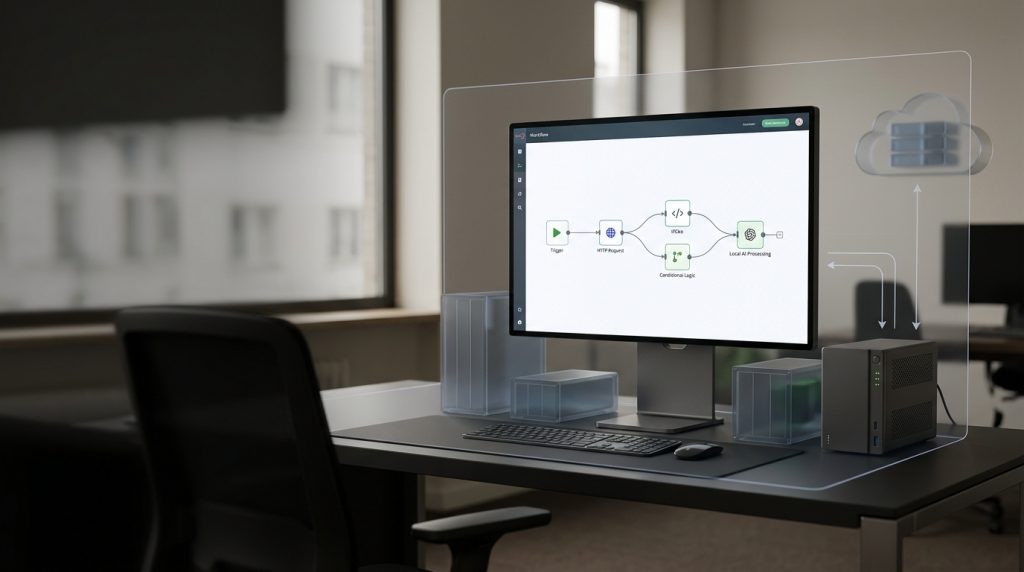
n8n can run locally with the self-hosted Community Edition without a licence fee. With Docker you start n8n on Windows, Linux or macOS. Optionally you can install Ollama on the host and connect a local language model such as Qwen 2.5 14B. That lets you use AI functions in your own workflows without paying a usage-based API bill for the model.
„Free“ does not mean that no cost appears. The Community Edition creates no licence fee for the self-hosting setup described here. Hardware, electricity, administration, backups and any paid external services stay separate. n8n also has its own licence terms depending on the use case. Before productive use, check the current n8n licence terms.
This guide first shows the technical base: start Docker, install n8n, set up the owner account and run a first workflow. Only after that come Ollama and the AI Assistant as an option. You can therefore test n8n first as an automation platform without needing the extra AI configuration.
The screenshots come from a Mac. The Docker configuration is aimed at Windows, Linux and macOS. Differences sit mainly in Docker Desktop, access to Ollama and a few browser quirks.
The guide is for IT leads, technical management, developers and companies that want to test n8n themselves first. It is not a production guide for a publicly reachable n8n server. The Compose file used is explicitly meant as a development and test configuration.
Tested versions: n8n 2.36.7, Ollama 0.32.15, Docker 29.6.2, model Qwen 2.5:14B. Later versions can differ in labels, menus and individual settings.
What does install n8n locally for free mean?
n8n is a workflow platform. You connect triggers, APIs, files, databases and, if needed, a language model into automated flows.
If you install n8n locally for free, that means in this article:
- You use a self-hosted n8n edition that, in the setup described, has no licence fee.
- n8n runs on your own machine or a server you operate.
- The data of the n8n instance is stored in a local Docker volume.
- You can also run Ollama on the host and connect a local language model.
That differs from n8n Cloud. There n8n runs the platform. With self-hosting you take care of installation, updates, backups, access protection and availability yourself.
The word „local“ should also not be mixed up technically with „automatically compliant with data protection“. In a correctly configured local install, data is not automatically sent to n8n Cloud or an external LLM vendor. Which data actually leaves your system still depends on the workflows, integrations, webhooks, APIs and model vendors you use.
If a workflow, for example, calls an external CRM API or uses a cloud model, the data transferred for that of course leaves your local system.
At the end of the base install you have a running n8n instance at http://localhost:5678 and a working first workflow. Ollama and the AI Assistant are not required for that.
n8n Cloud or self-host?
Both variants have their place. The decisive question is whether you want to take on the technical operations yourself.
| n8n Cloud | Self-hosted | |
|---|---|---|
| Cost model | Subscription at the current rate | No licence fee for the matching self-hosted edition, own operating cost |
| Operations | n8n runs the platform | You run Docker, updates and backups yourself |
| Data holding | Vendor infrastructure | Your own infrastructure |
| Setup | Account and a ready environment | Docker and your own configuration |
| Local LLM | External APIs or your own connection depending on architecture | Ollama can run directly in your own network |
| Fits | Fast start without platform operations | Own infrastructure and technical control |
When is self-hosting worth it?
Self-hosting is especially interesting if you first want to test workflows internally, connect existing systems or use a local language model.
- Credentials and workflow data should stay in your own infrastructure.
- You want to test local models without usage-based LLM API cost.
- IT can run Docker and the related infrastructure.
- You want to move a prototype onto a Linux server of your own later.
Cloud is attractive if you want to outsource the technical operations and need a ready environment quickly.
5-minute quick start
The fastest path to a running n8n instance
- Install Docker Desktop and start it.
- Create an empty folder for n8n.
- Save the Compose file from the next section as
docker-compose.yml. - Run
docker compose up -d. - Open
http://localhost:5678in the browser and create the owner account.
After that the n8n base install is done. You build a first working workflow in the matching section further down. Ollama and the AI Assistant are optional extensions.
Why Docker for Windows, Linux and Mac?
Docker makes the n8n install largely independent of the operating system. Instead of setting up Node.js, dependencies and paths directly on the machine, you start a ready n8n image.
The Compose file can therefore be used on macOS, Windows with Docker Desktop and Linux. Differences appear mainly when you access services that run outside the container.
| Windows | macOS | Linux | |
|---|---|---|---|
| Docker | Docker Desktop | Docker Desktop | Docker Engine plus Compose |
| Ollama | Host | Host | Host or infrastructure of your own |
| Host URL from the container | host.docker.internal |
host.docker.internal |
with extra_hosts |
| Compose file | identical | identical | identical |
On Windows with WSL2 extra network details can matter. If you hit problems, first check whether the service is reachable from the host before you change the n8n configuration.
What you need
- Docker Desktop on Windows or macOS, or Docker Engine plus Compose on Linux
- an empty folder for the Compose file
- a browser
- optionally Ollama with a local model
For a pure n8n install you do not need a powerful system. Only the local language model changes the hardware requirements clearly.
| Plan | Rule of thumb |
|---|---|
| n8n only | 8 GB RAM is often enough for a test |
| n8n plus a small local model | 16 GB RAM |
| n8n plus Qwen 2.5 14B | 16 GB minimum, 32 GB more comfortable |
The concrete requirements depend on the model, the quantisation, the hardware and parallel use. GPU acceleration mainly affects running the model. n8n itself does not need a GPU.
Install n8n with Docker Compose
Important: The Compose file below is a development and test configuration. It is kept deliberately minimal and is not meant as a full production configuration. For productive operations you have to consider, among other things, HTTPS, access protection, backups, monitoring, secrets management and a defined update process.
Save the file as docker-compose.yml in an empty folder.
services:
  n8n:
    image: docker.n8n.io/n8nio/n8n
    restart: unless-stopped
    ports:
      - "5678:5678"
    environment:
      - GENERIC_TIMEZONE=Europe/Berlin
      - TZ=Europe/Berlin
      - N8N_SECURE_COOKIE=false
    volumes:
      - n8n_data:/home/node/.n8n
    extra_hosts:
      - "host.docker.internal:host-gateway"

volumes:
  n8n_data:
N8N_SECURE_COOKIE=false is set here for the local HTTP test. For productive operations with HTTPS the configuration should be adjusted accordingly.
extra_hosts makes sure that host.docker.internal can also point to the Docker host on Linux. That mainly matters if Ollama later runs on the host.
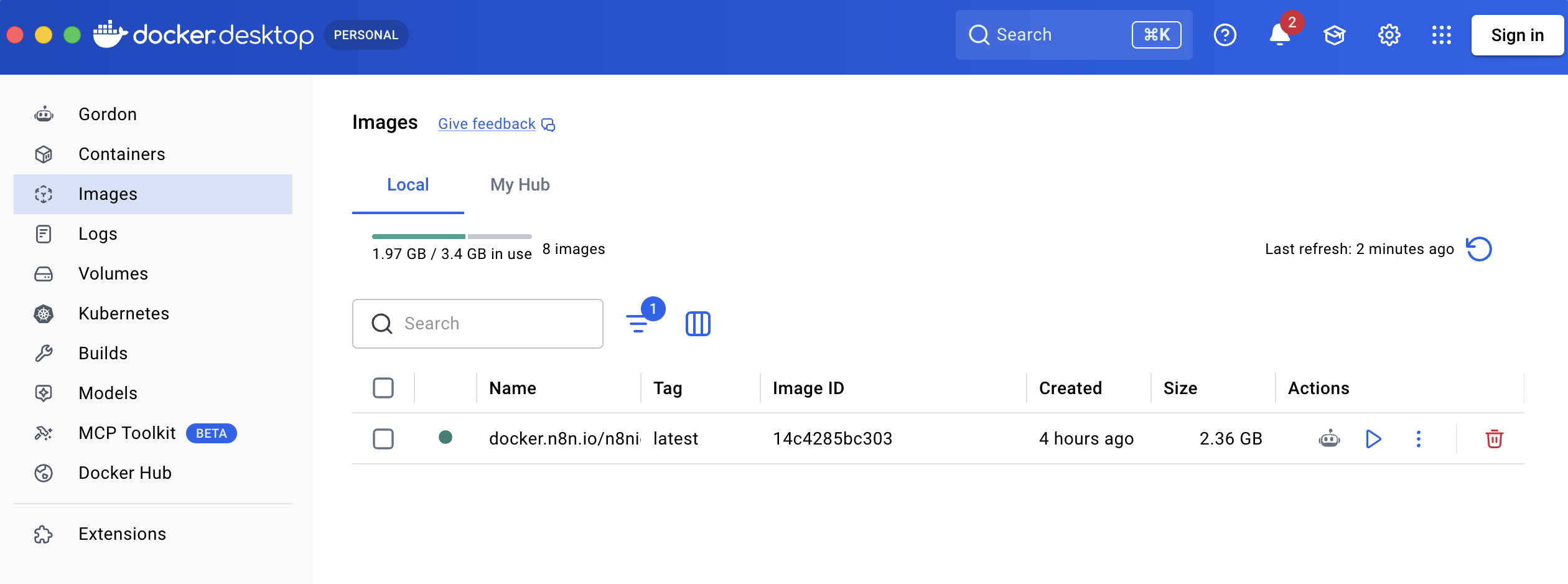
docker.n8n.io/n8nio/n8n.Check the running container with:
docker compose psYou then reach the UI at:
http://localhost:5678To stop, you can halt the container:
docker compose stopTo start again:
docker compose startdocker compose down removes container and network. The volume stays without -v. docker compose down -v also deletes the volume and therefore the n8n data stored in it.
For an update you can pull the image again and recreate the container:
docker compose pull
docker compose up -d
Before larger updates you should back up the data volume.
Safari and Secure Cookie
On a local install over HTTP, Safari can block the n8n UI with a note about Secure Cookies.
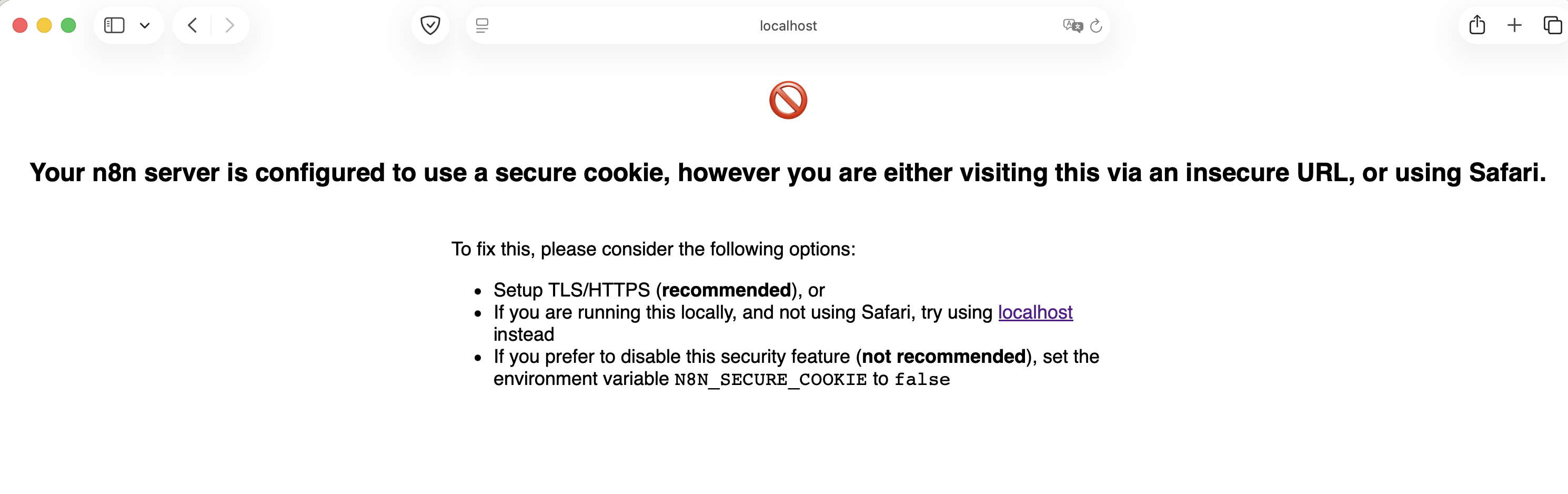
N8N_SECURE_COOKIE=false or another browser.For the development and test setup described here, N8N_SECURE_COOKIE=false is therefore set. Alternatively you can use another browser for the local test.
For a production environment you should not simply run n8n permanently over unencrypted HTTP. HTTPS with a matching reverse proxy belongs in the architecture there.
Create the owner account
On the first call to n8n you create the owner account.
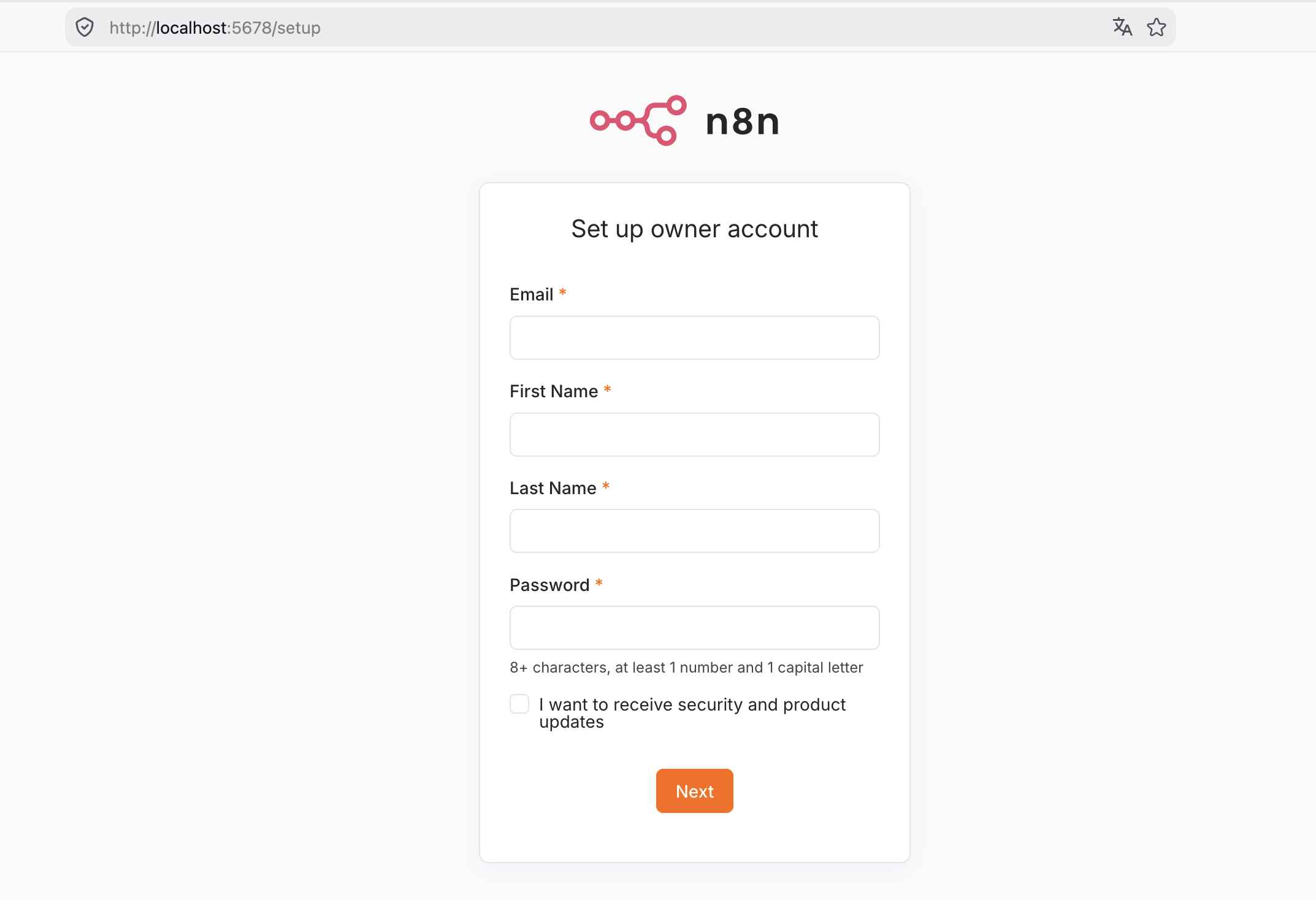
After that the n8n base install is complete. From this point you can create normal workflows. You need neither Ollama nor a language model nor the AI Assistant for that.
The password protects the n8n instance. As soon as you make the service reachable beyond the local system, you have to secure access protection, network and HTTPS accordingly.
The first workflow
The first test should contain as little complexity as possible. A Manual Trigger plus HTTP Request is enough to check whether the container runs and outbound HTTP connections work.
Create a new workflow and add a Manual Trigger plus an HTTP Request node.
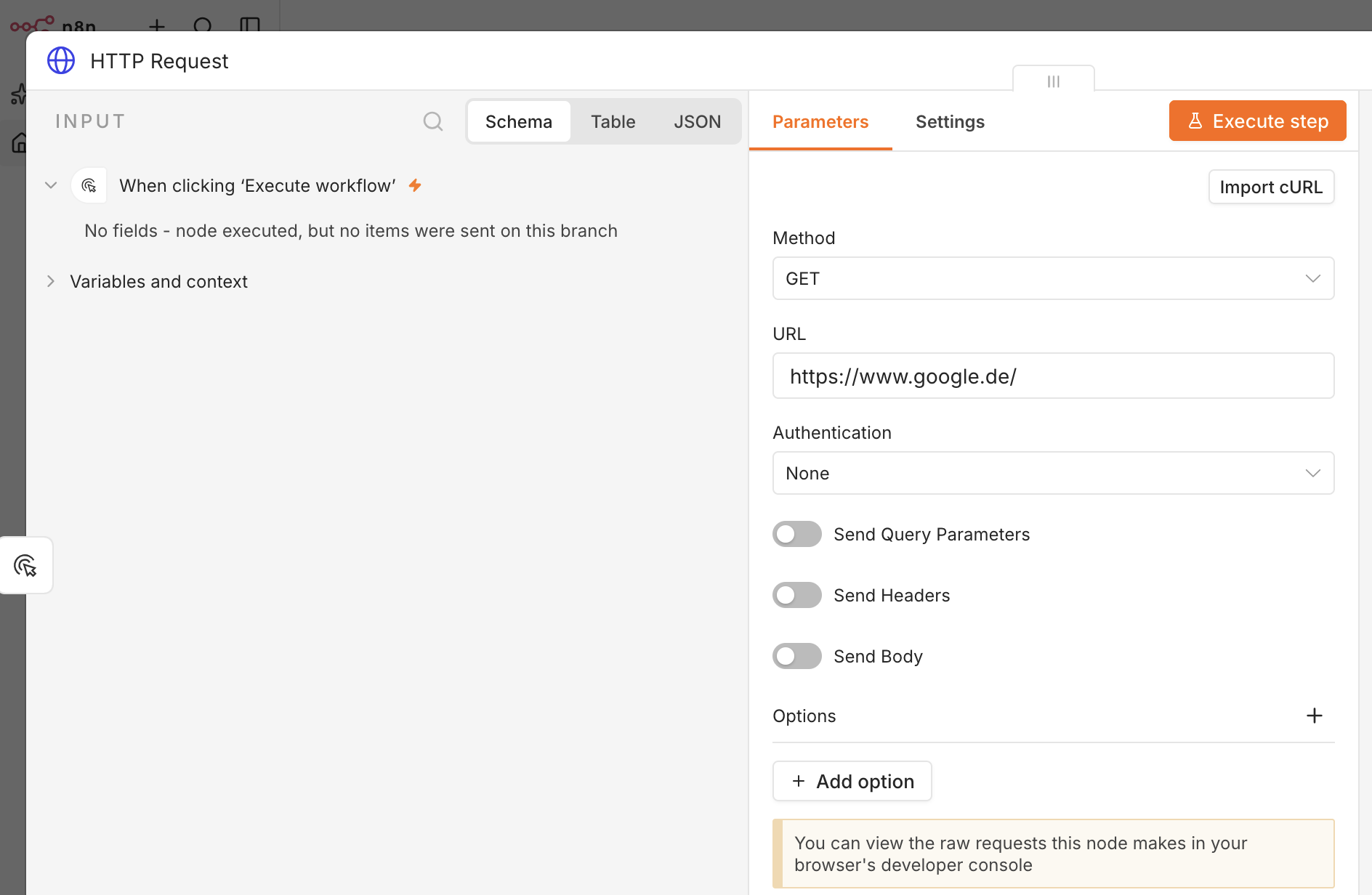
https://www.google.de/, Authentication None.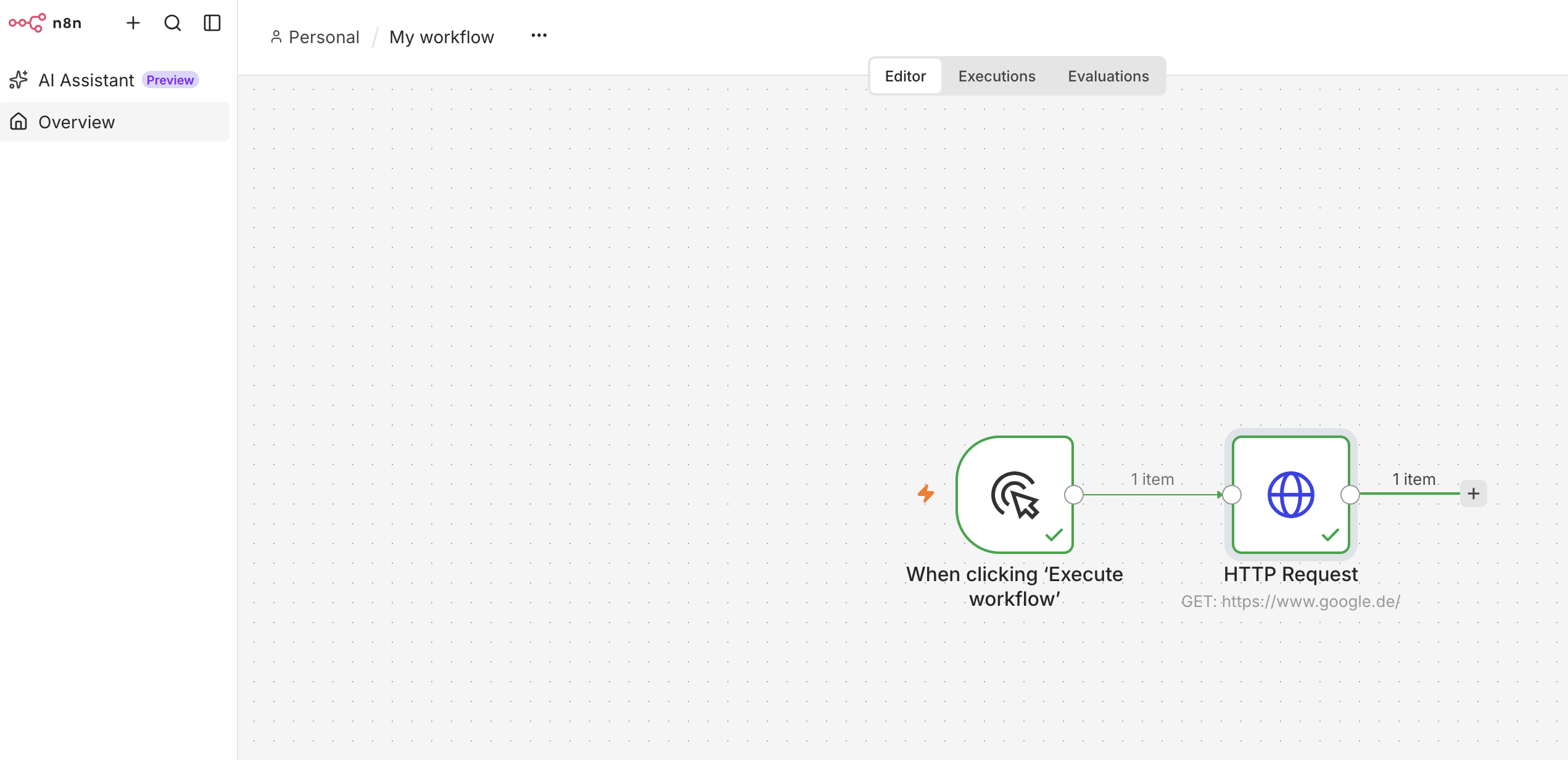
This test does not yet prove a productive integration. It does show that n8n runs, the workflow executes and the container can reach an external HTTP address.
If you want to import the mini workflow, you can use this JSON:
{
  "name": "HTTP Health Check google.de",
  "nodes": [
    {
      "parameters": {},
      "id": "a1b2c3d4-e5f6-7890-abcd-ef1234567890",
      "name": "When clicking Execute workflow",
      "type": "n8n-nodes-base.manualTrigger",
      "typeVersion": 1,
      "position": [250, 300]
    },
    {
      "parameters": {
        "url": "https://www.google.de/",
        "options": {}
      },
      "id": "b2c3d4e5-f6a7-8901-bcde-f12345678901",
      "name": "HTTP Request",
      "type": "n8n-nodes-base.httpRequest",
      "typeVersion": 4.2,
      "position": [520, 300]
    }
  ],
  "connections": {
    "When clicking Execute workflow": {
      "main": [
        [
          {
            "node": "HTTP Request",
            "type": "main",
            "index": 0
          }
        ]
      ]
    }
  },
  "active": false,
  "settings": {
    "executionOrder": "v1"
  },
  "pinData": {}
}
Typical Docker errors in a local n8n install
Important for Ollama later
If n8n runs in the container, localhost inside the container is not automatically your machine. For an Ollama service on the host use http://host.docker.internal:11434/v1.
Port 5678 is already in use
Another container or local service uses the port. Check docker compose ps and the error on start. Alternatively you can use, for example, "5679:5678" and then open n8n at http://localhost:5679.
Safari shows a Secure Cookie error
For the local test, N8N_SECURE_COOKIE=false helps. For a production environment you should use HTTPS instead.
The Docker volume was deleted
Do not use docker compose down -v without thinking. The -v parameter removes the data volume. Without a backup, workflows, credentials and other instance data can be lost.
The container does not start
Logs usually help faster than changes to the Compose file:
docker compose logs -f n8nOptional: local LLM with Ollama
Up to here n8n is fully installed. Ollama is an optional extension if you also want to use a local language model.
Ollama can be installed on the host. A model such as qwen2.5:14b then runs locally. Concrete speed depends on hardware, RAM, GPU and model variant.
First check on the host whether Ollama is running:
ollama list
curl http://127.0.0.1:11434/api/tags
If n8n runs in Docker and Ollama on the host, the n8n configuration must not simply use localhost:11434. From the container’s point of view, localhost means the container.
Use this instead:
http://host.docker.internal:11434/v1On Linux the matching extra_hosts entry from the Compose file matters.
Using the model locally means technically: the model process runs on your own infrastructure. That does not mean every workflow automatically stays local. As soon as you call an external API, for example, the data transferred for that is sent to that service.
Optional: AI Assistant with Ollama
The n8n AI Assistant is an extra function and not needed for normal workflow automation. It can support creating and editing workflows, but for certain functions it needs extra infrastructure.
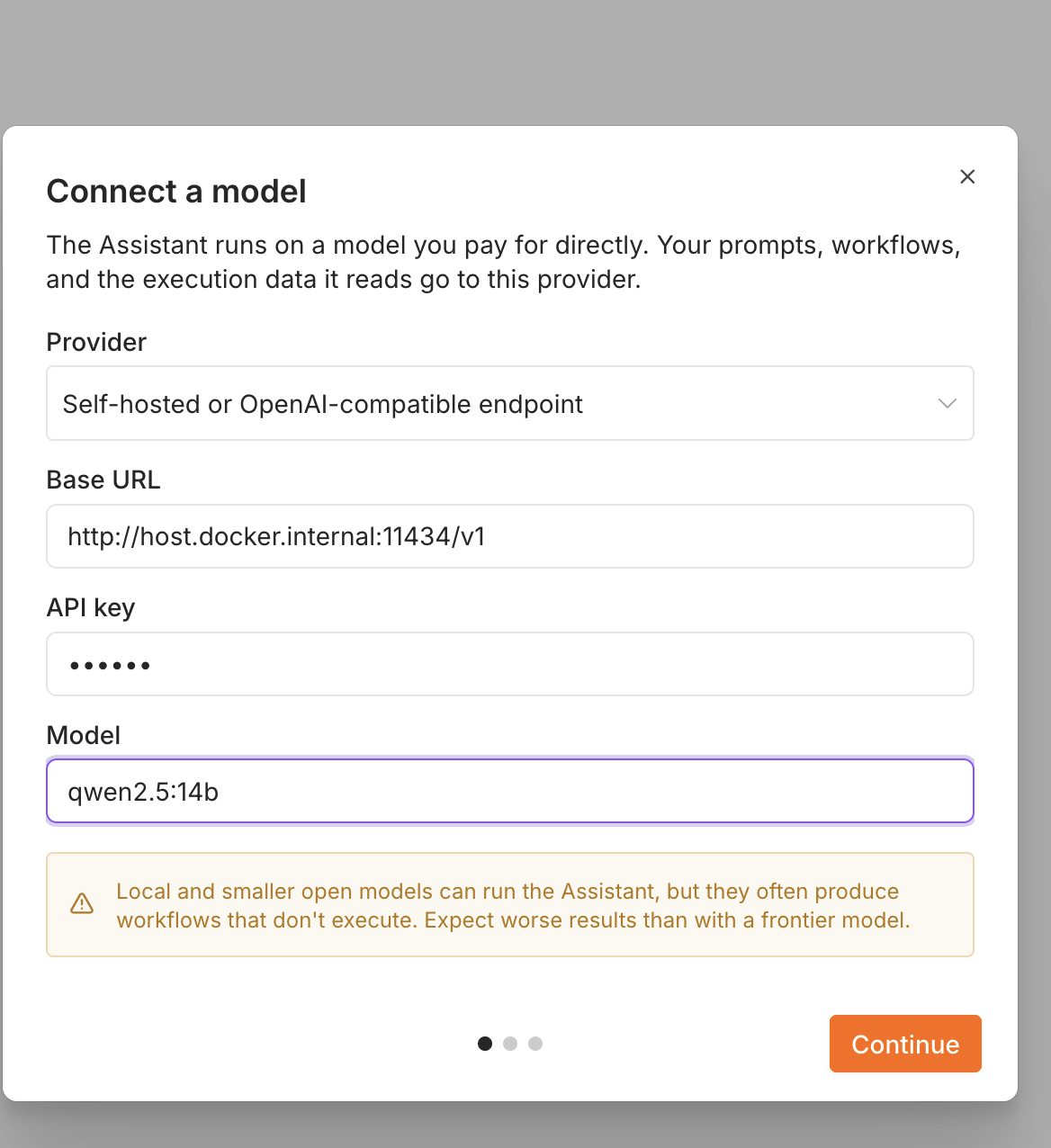
For a local test you can use an OpenAI-compatible Ollama endpoint.
| Field | Value |
|---|---|
| Provider | Self-hosted or OpenAI-compatible endpoint |
| Base URL | http://host.docker.internal:11434/v1 |
| API Key | ollama |
| Model | qwen2.5:14b |
Depending on the n8n version and model configuration, extra settings can be needed. In the tested setup the thinking function in particular mattered:
N8N_INSTANCE_AI_THINKING_ENABLED=falseIf you add this variable, the container has to be recreated:
docker compose up -d --force-recreateCode sandbox
For certain AI Assistant functions an isolated sandbox is also needed. It is separate from the n8n install itself.
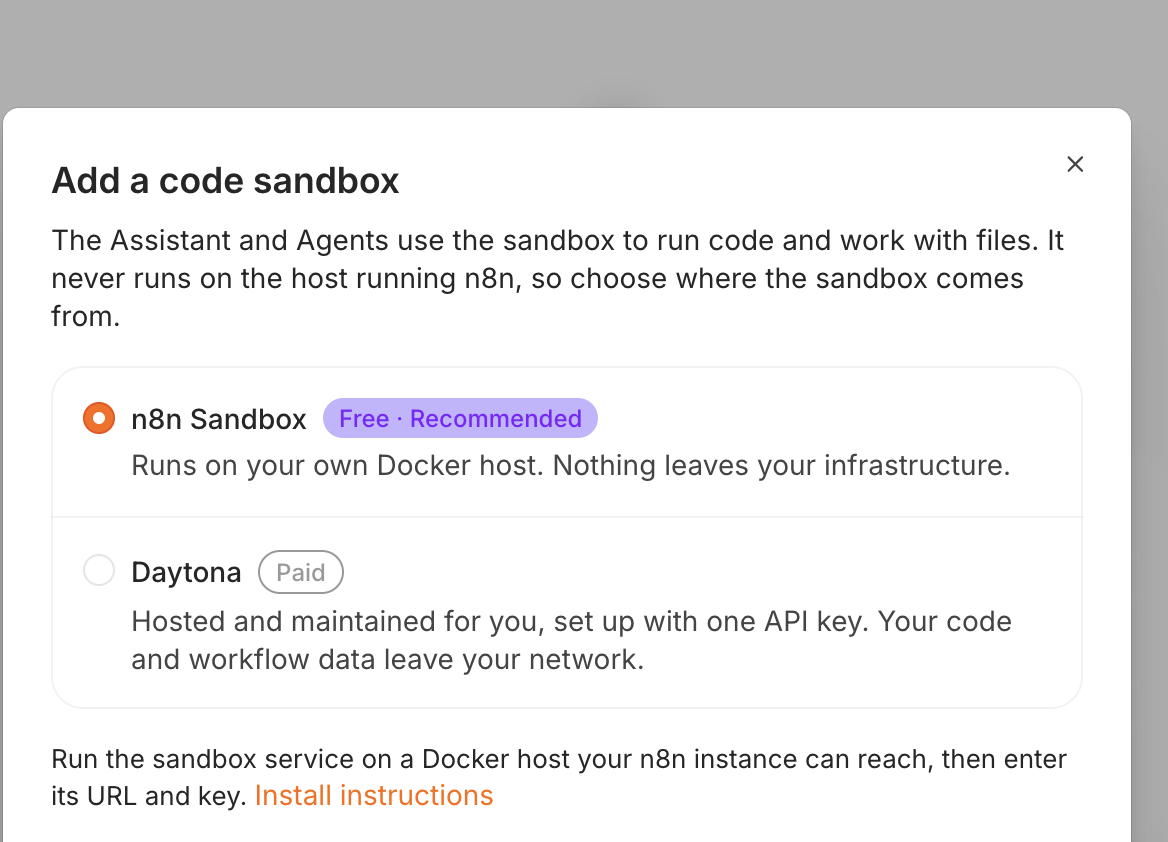
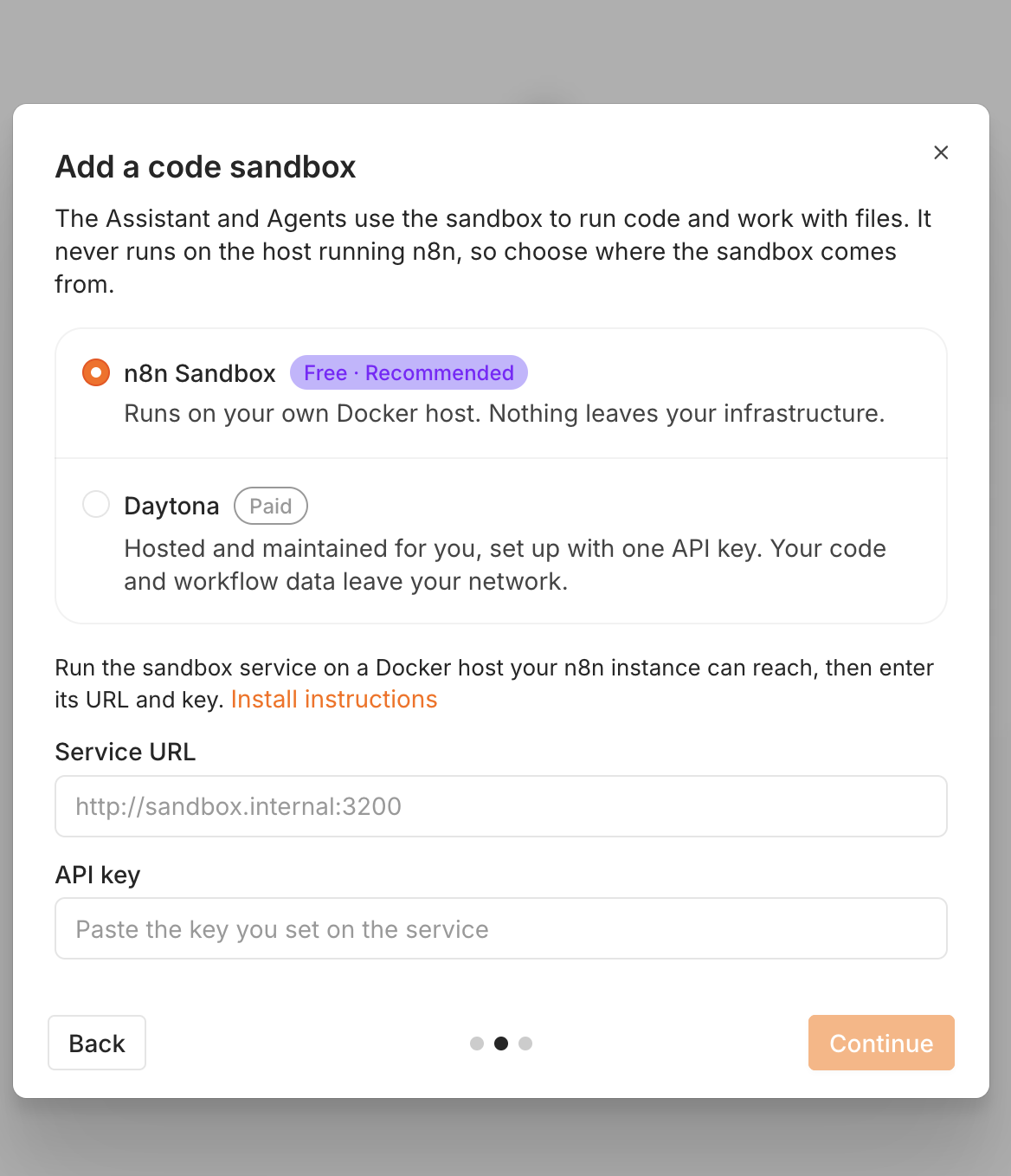
http://sandbox.internal:3200 is only an example, not a real address.For a local test the sandbox can be run by yourself. The concrete setup depends on the n8n version in use. The current documentation describes the containers and environment variables required for that.
The official documentation is here: Set up AI Assistant and Run n8n with Docker Compose.
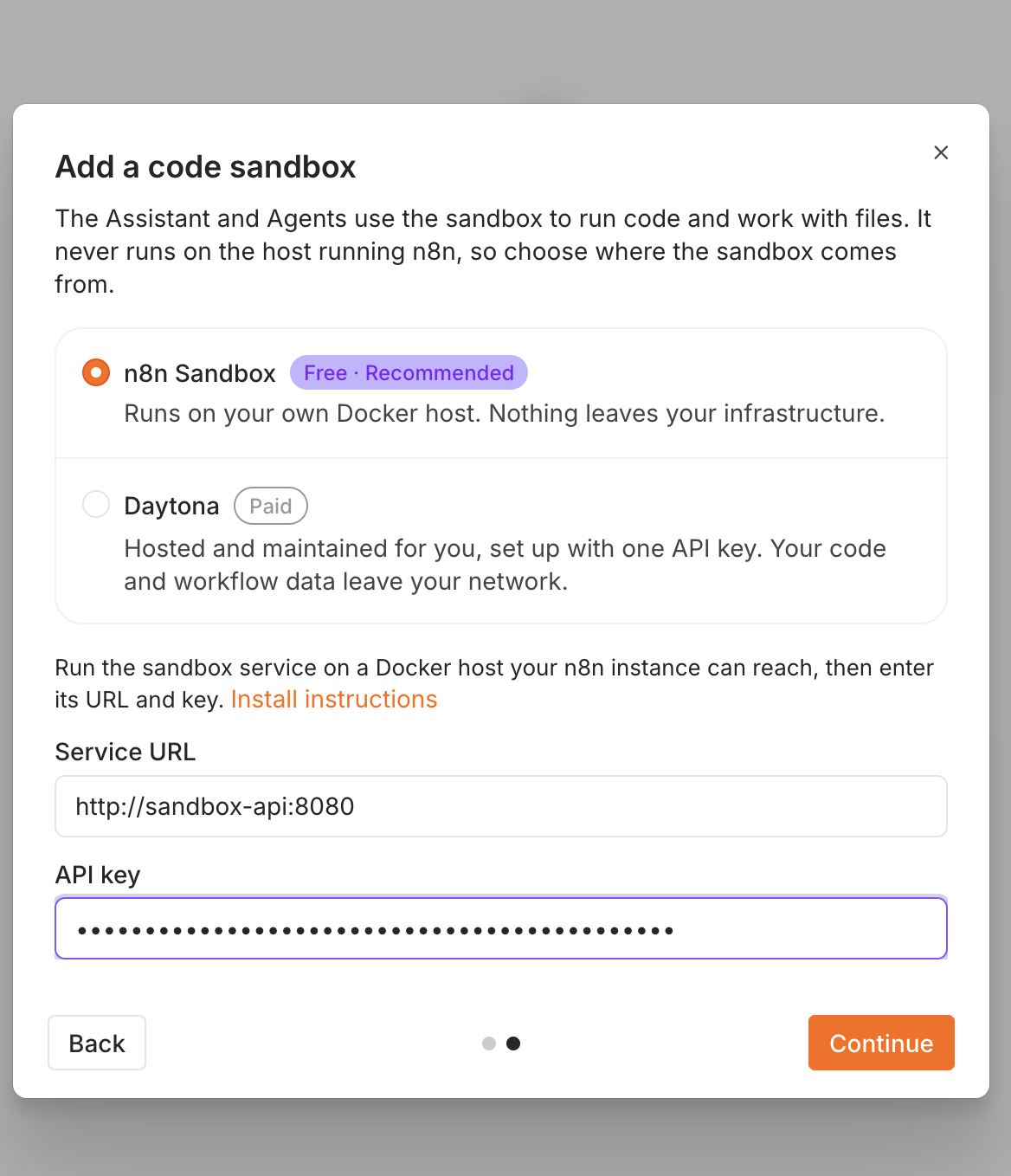
http://sandbox-api:8080, API key from your own configuration. Continue is then active.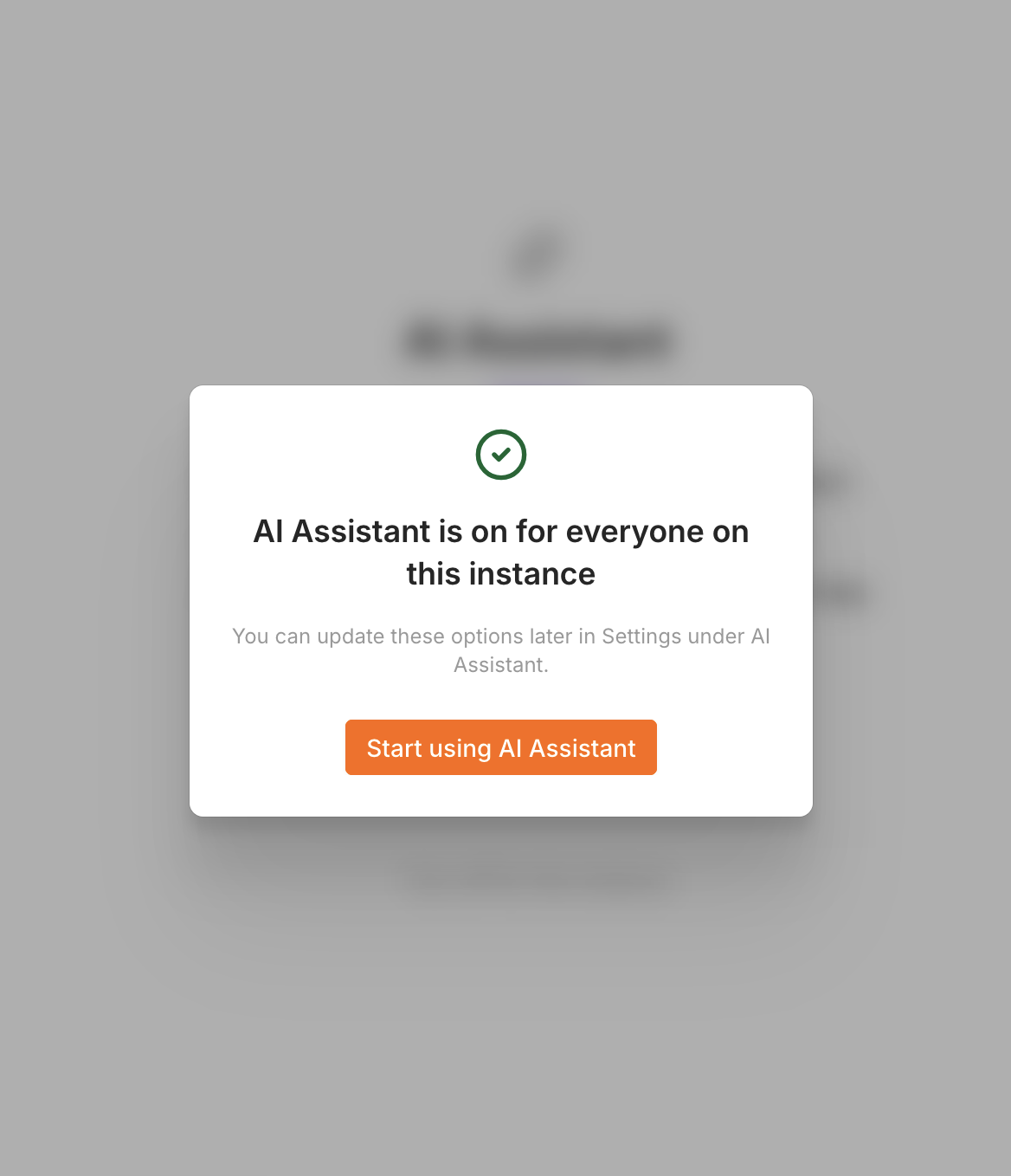
For a pure n8n test you can skip this whole section.
What a local 14B model can do
A local 14B model can make sense in n8n if you want to classify, summarise or structure texts. Quality still depends strongly on model, prompt, context and hardware.
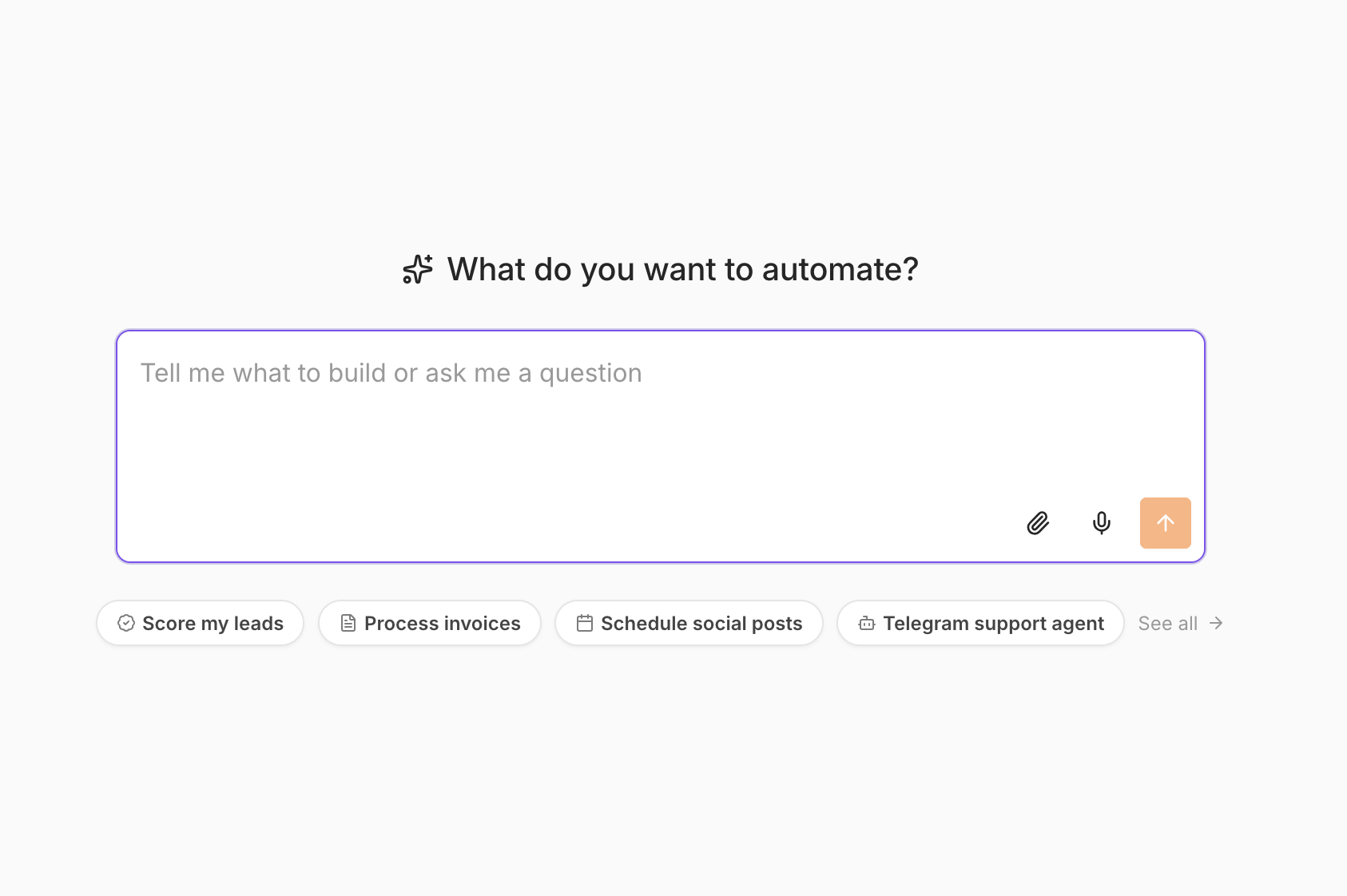
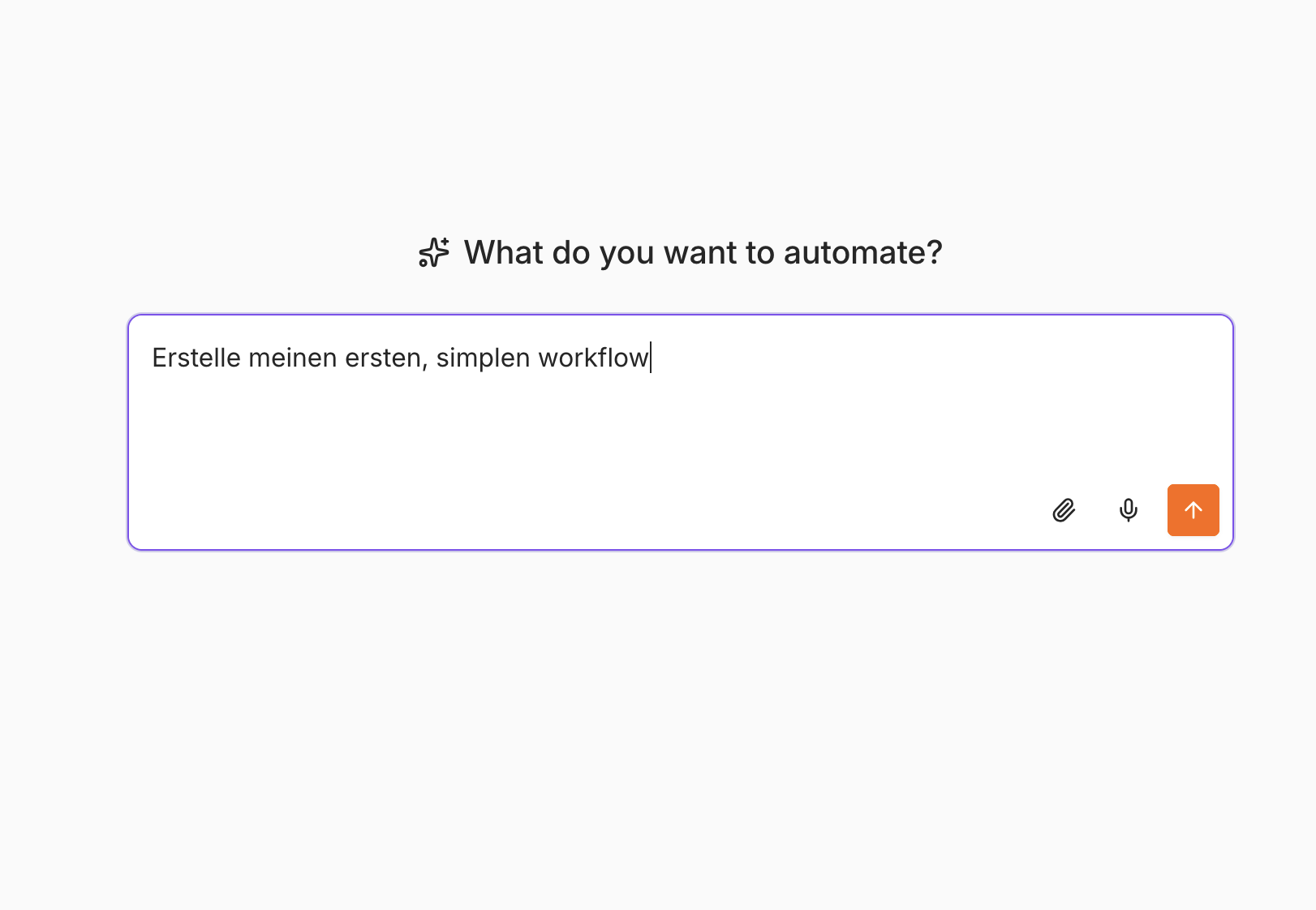
A concrete test with a small health check showed the limit of the local model: it partly produced placeholders and described steps that were not turned into a reliable finished workflow.
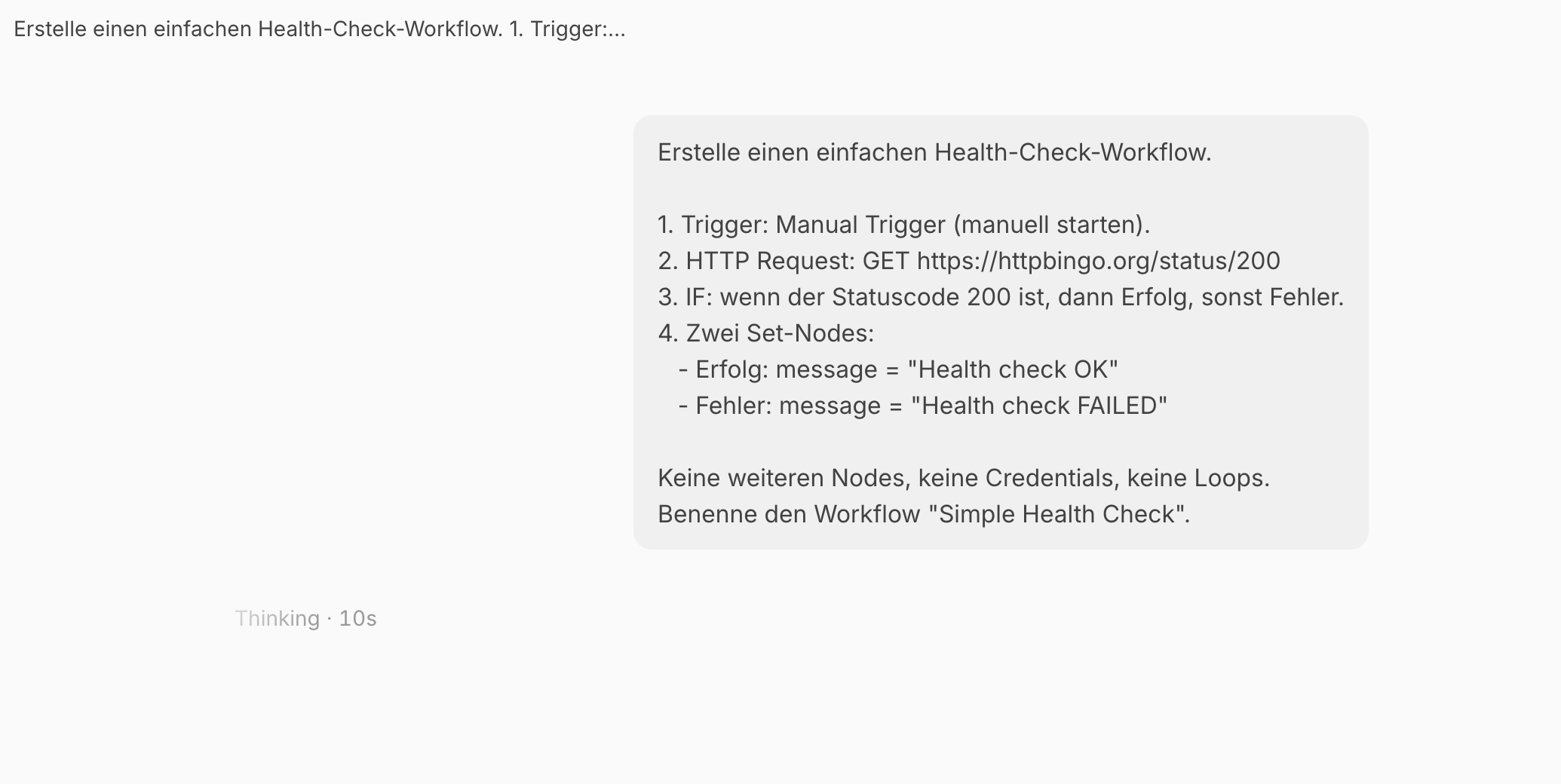
That is an important difference: A local LLM can be a useful part of an n8n workflow, but it does not have to be the best architect for complex workflows at the same time.
For creating and changing complex workflows a more capable model can make sense. For classification, summarising or structured text output a local model can fit very well.
What transfers into a company
- The base install is simple. Docker, volume and n8n container are enough for a first test.
- Productive operations are a different task. Backups, updates, HTTPS, access protection and monitoring have to be planned separately.
- Local AI is an architecture decision. A local model can keep data processing inside your own infrastructure. External interfaces can still send data outside.
- n8n and LLM have different jobs. n8n orchestrates the process. The model processes unstructured content.
- Hybrid can make sense. Critical content can be processed locally, while a capable external service is used for less sensitive tasks.
For the move from test to company operations you should therefore not simply copy the Compose file onto a server. First check data flows, user rights, interfaces, backup strategy and external services.
What can you automate with n8n and a local LLM?
The combination of n8n and a local language model is especially interesting in processes where classic rules and unstructured content come together.
Incoming email: n8n can process messages, store attachments and send data to a specialist system. A local model can also classify subject or text.
Document classification: Documents can be processed and sorted by type or content. Uncertain cases can be passed on for manual review.
Internal AI knowledge base: n8n can automate data flows around documents. The knowledge base itself also needs indexing, permissions and a fitting search architecture.
CRM processes: n8n can check new leads, create tasks and sync systems. AI can support unstructured notes.
Helpdesk: Tickets can be pre-qualified, categorised and enriched with similar cases.
Meeting notes: Transcripts can be summarised and open points processed further automatically.
ERP and DMS: Many integrations need no LLM at all. AI becomes interesting where information is not structured.
Which architecture makes sense depends on the process and the data. An overview of typical scenarios is on the page about AI automation.
Frequently asked questions
Is n8n really free?
The self-hosted variant described here can run without a licence fee. You still have operating cost for hardware, electricity, administration and any external services. Before productive use, check the current n8n licence terms.
Does the guide work on Windows, Linux and Mac?
Yes. Docker abstracts a large part of the operating system differences. The screenshots come from a Mac. Individual details such as Safari or GPU support can differ.
Do I have to install Ollama?
No. Ollama is optional for this guide. The n8n base install and normal workflows work without a local language model.
Why does localhost:11434 not work in n8n?
Because n8n runs in the Docker container. localhost there means the container. If Ollama runs on the host, use http://host.docker.internal:11434/v1.
Can I skip the AI Assistant?
Yes. The AI Assistant is not a requirement for n8n. If you only want to test automation, you can skip it completely.
Is a local install automatically GDPR-compliant?
No. A local install can reduce data flows, but it does not replace a data protection review. What counts is which data your workflows process and which external systems they call.
Can I move to a Linux server later?
Yes. Docker and the data volume make the move easier. For productive operations you also have to plan network, HTTPS, backup, access protection and updates.
Do I need a GPU?
Not for n8n. A local language model can also run on the CPU, but is often clearly slower with larger models. A suitable GPU can speed up model processing.
Can I make n8n publicly reachable?
The configuration shown here is meant for a local test. For public webhooks you need a clearly larger operations architecture with HTTPS, access protection and a deliberately configured network.
How do I update n8n?
The data volume must not be deleted. For the test environment shown, this is normally enough:
docker compose pull
docker compose up -d
Before larger version jumps you should create a backup and check the current release notes.
Can n8n replace an AI knowledge base?
No. n8n is the automation platform. A knowledge base also needs indexing, document management, permissions and a fitting search or RAG architecture. n8n can automate the data flows needed for that.
Conclusion
Installing n8n locally is comparatively simple with Docker. The base consists of a container, a persistent volume and the web UI at localhost:5678. The same basic configuration can be used on Windows, Linux and macOS.
The decisive point is the split between base install and AI extension. For n8n itself you need no Ollama and no AI Assistant. Only if you want to use local AI in workflows does Ollama come in with a matching model.
A local LLM can take on interesting tasks there: classify, summarise, structure or generate text. It is not automatically the best choice for complex agents or reliably generating complete workflows.
„Local“ also does not automatically mean „GDPR-compliant“. The actual data flows depend on your architecture. As soon as a workflow uses external APIs, cloud models or other services, those data flows have to be looked at separately.
For companies the install itself therefore matters less than the question of which process should be automated, which systems are involved and which data is processed. n8n can take the technical orchestration. A local LLM can complement the unstructured parts.
Which use cases fit midmarket companies I show on the page AI for the midmarket. An overview of the combination of classic workflows and AI is under AI automation. For internal documents and knowledge stocks there is the AI knowledge base.
If you plan automation on your own network and do not yet know whether n8n, a local model or cloud AI fits the process, a small prototype is usually the most sensible first step.
In 15 minutes I can clarify without obligation which architecture fits your data and interfaces. Book a first conversation.
Collaboration
Custom AI and automation solutions, fitted to process, data risk and cost.
Get in touch →Blog
New articles by email. No ads.