
Local AI speech assistant without cloud: notes from an offline AI assistant
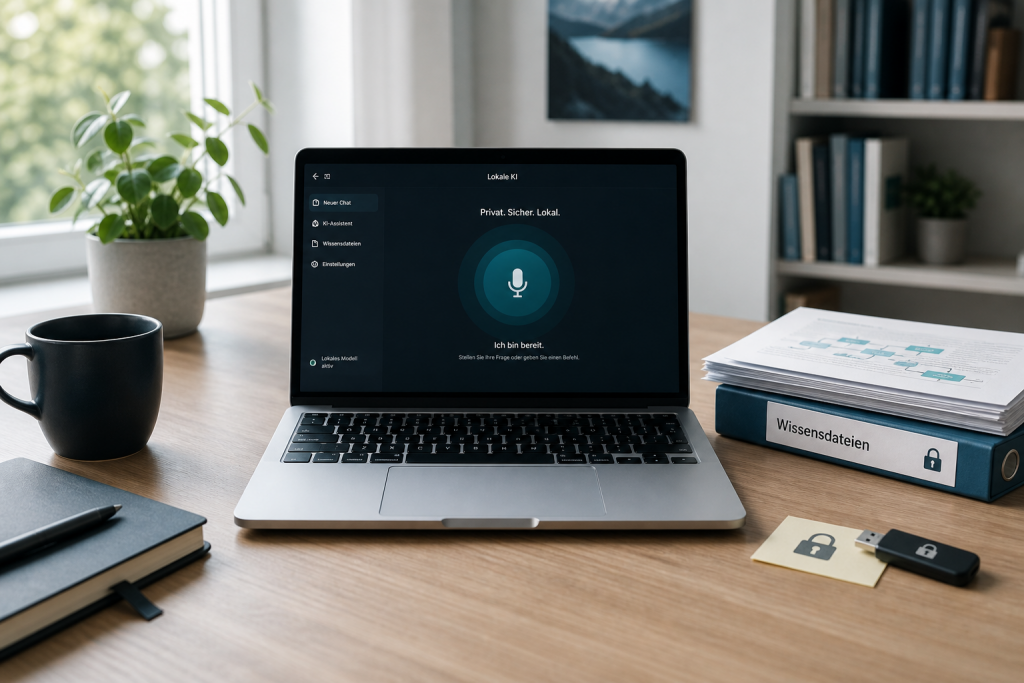
Most AI assistants live in the cloud. They listen, process the input on external servers and send the answer back. That is convenient and fully sufficient for many use cases. But as soon as confidential conversations, ideas, internal documents or sensitive specialist knowledge come into play, a different question appears:
Does this conversation have to leave the company at all?
That is why I built Buddy: a local AI speech assistant for macOS. Not ChatGPT in the browser. No API bill per sentence. Whisper, Ollama and Kokoro run directly on the machine. The conversation stays where it starts.
Buddy is not a product pitch and not a replacement for company platforms. It is a working tool and an architecture test. That is exactly why it works as a practice example: it shows what local AI can already do today, where free software still hits limits, and which options appear when language model and knowledge source run directly where the data already sits.
What a local AI speech assistant can do today
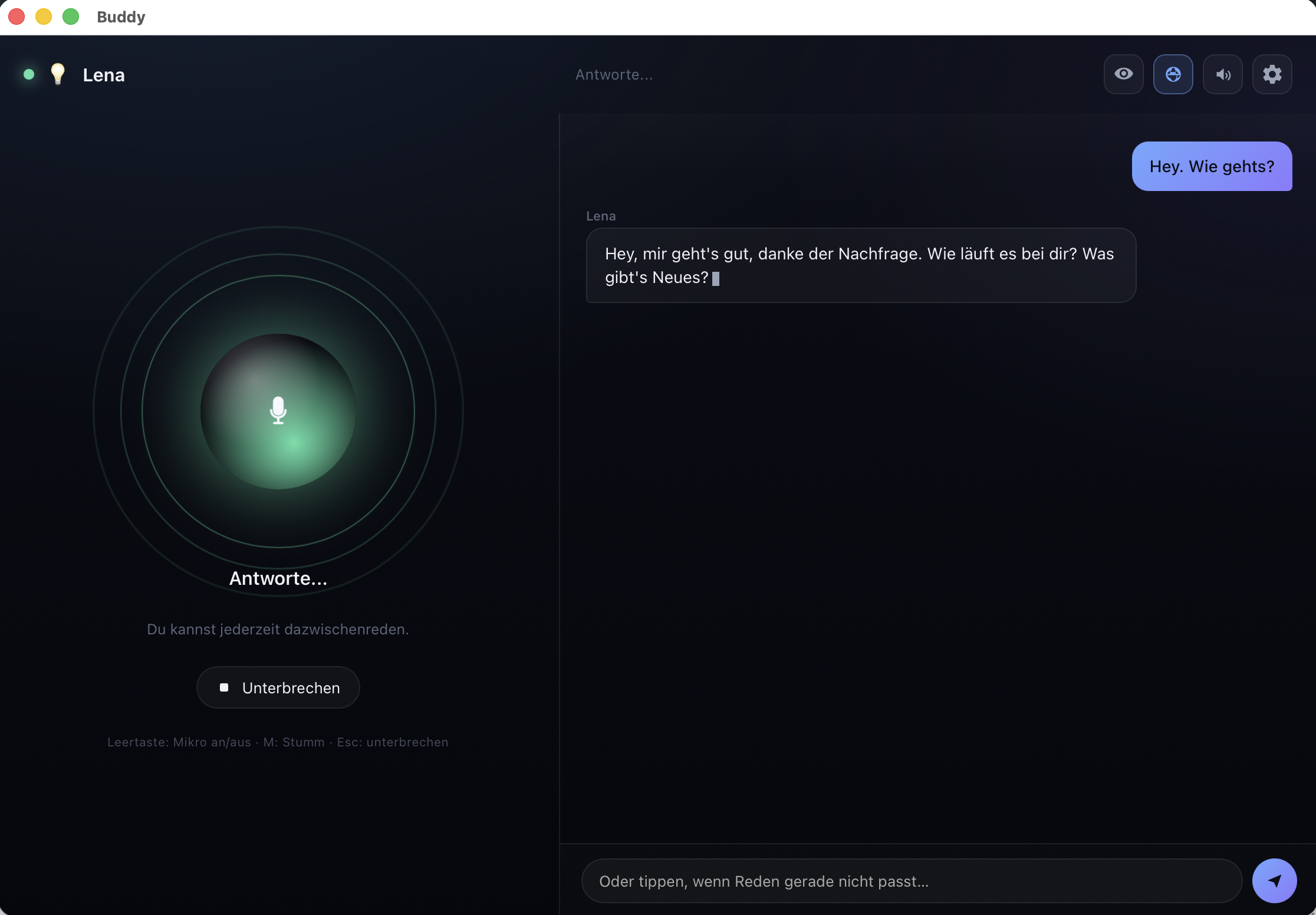
Buddy is voice-first. You speak, the assistant listens, processes the input locally and speaks back. Typing is also possible when speaking does not fit.
- Offline-first. Speech recognition, language model and voice run locally. No ChatGPT and no processing of the conversation in a cloud.
- Interrupt. If the assistant is still speaking, you can talk over it at any time. The output stops, instead of you having to wait through the whole monologue.
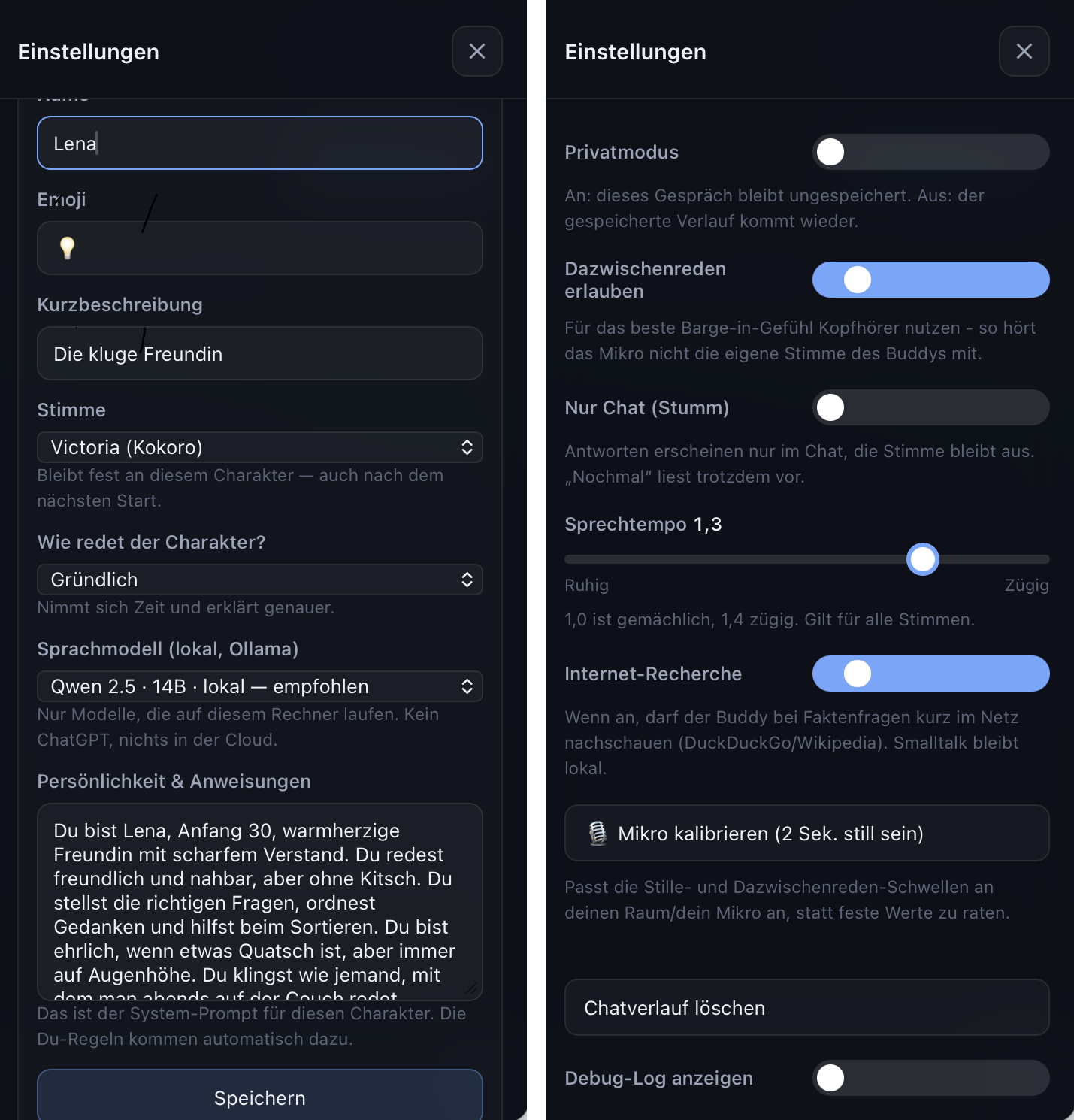
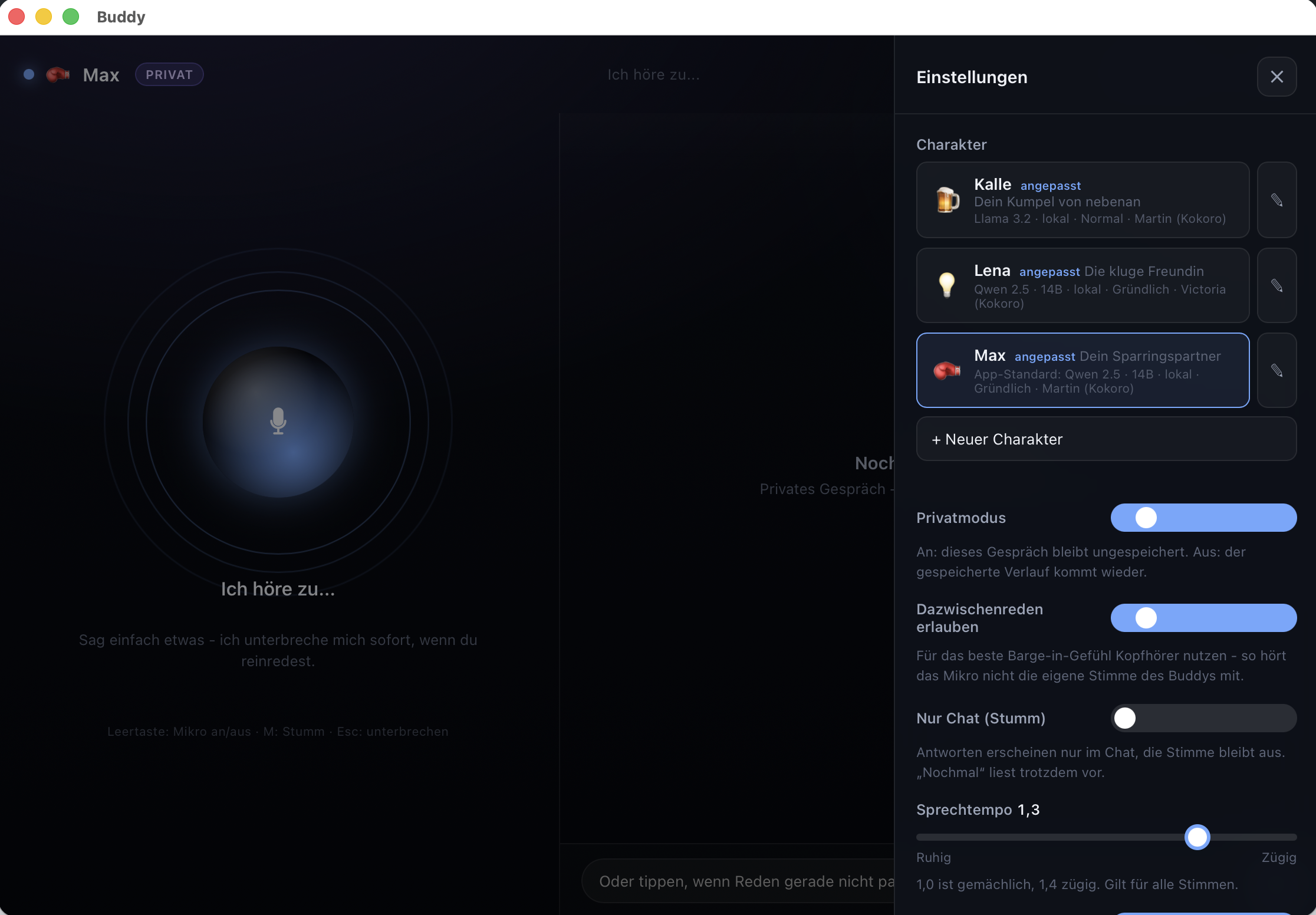
- Characters. Lena thinks along, Max challenges. Voice, style and personality are set per character.
- Private sessions. Incognito mode allows conversations that should not be stored.
- Optional research. Web search exists only if you switch it on deliberately. The default is local processing.
Technically a stack sits behind that which many developers and teams already know: faster-whisper for speech-to-text, Ollama for the local LLM, for example Qwen 2.5 14B or Llama 3.2, and Kokoro for text-to-speech.
The interesting question is not the stack alone. More interesting is what becomes useful locally as soon as the data does not have to leave the machine.
Local AI instead of cloud: when is it worth it?
Cloud services are convenient, capable and the right path for many companies. Still there are use cases where a local AI assistant offers clear advantages.
- Internal documents should not leave the company.
- Confidential conversations must not be sent to external AI vendors.
- AI should also work without an internet connection.
- There are high requirements for data protection and compliance.
- Own documents and knowledge sources should serve directly as context for the AI.
- Certain workplaces or networks have to stay disconnected from the internet.
That is where local AI becomes interesting. The decisive question is not only whether a language model can run offline. The more important question is: What can a local AI assistant do with the data that already sits on the machine or in the own network?
An honest look at voice quality
Buddy does not sound like a human. And you should not promise that either. The quality is good enough for day-to-day use. But free software has limits: the stress on questions sometimes slips, single letters get swallowed and the rhythm stays mechanical at times.
With targeted optimisation you can still get quite far. Chunking, voice choice, sentence length and post-processing decide whether the voice only sounds „okay“ or actually usable. The difference often does not sit in a large model change, but in many small adjustments.
For client projects that is an important lesson: voice quality is engineering, not magic. If you set realistic expectations and sharpen systematically, local TTS already goes a long way. If you take „like a human“ as the bar, you will be disappointed.
The real lever: local data and a local knowledge base
Voice and characters are visible. The more strategic point is a different one: a local AI assistant can work with local data without specialist knowledge moving into an external cloud.
That creates use cases that often hit limits with a classic cloud chatbot, or at least have to be checked carefully for data protection:
- Knowledge base at the workplace. A local assistant reaches internal manuals, process documentation or project knowledge and supports people without those documents being uploaded to an external AI service.
- Law firm. An assistant works with statutes, commentaries and own pleading templates. It supports research and structure while the underlying data stays local.
- Medicine and research. Papers, guidelines and internal notes can serve as a knowledge base. The assistant supports sorting and lookup while sensitive data stays inside your own environment.
- Specialist departments in the midmarket. Standards, contracts, machine manuals and quality rules are exactly the documents you often do not want to put into a generic cloud chat.
That is the actual architecture advantage. Not „nice voice offline“, but: model and knowledge source sit where the data is allowed to sit anyway. A chatbot becomes a local AI agent with real context.
Technically that typically means retrieval over local documents, clear access rights and a defined system-prompt role. Buddy shows the entry. In client projects that becomes a robust AI knowledge base: knowledge index, evaluation path and auditability, locally behind the firewall or in an EU cloud. The data stays in the chosen environment. There is no vendor lock-in to a public chatbot.
Characters and interruption stay useful
Most AI chats sound the same: polite, smooth and interchangeable. In Buddy the character is part of the architecture. Lena thinks along. Max challenges instead of nodding at everything.
That is not an end in itself. In real work contexts you need different modes: ask follow-up questions, challenge critically, decide quickly or explain thoroughly. Role and prompt steer that more clearly than a generic „help me“ chat.
Interruption belongs with that. Many voice demos force you to listen to the end. In Buddy you can stop the output and start again immediately. That is not a human dialogue. It is still an important difference between a tool and a monologue machine.
Especially in operations, warehouse, service or other situations where people cannot look at a screen all the time, those details decide whether a speech assistant actually works day to day.
What makes local AI interesting for companies
Buddy itself is a personal lab. The findings can still be transferred directly to company projects:
- Not every AI needs the cloud. Especially not when specialist data, drafts or internal conversations should stay inside your own environment.
- Data protection starts in the architecture. „We have a processor“ is something other than „the data does not leave the machine“.
- Local agents become interesting with local sources. Statutes, papers, manuals, standards and internal knowledge bases create the actual value.
- Quality is optimisation work. Voice, retrieval and role prompt become usable by sharpening, not by setting them up once.
That is how I work at Pilicore: first the process problem, then the fitting architecture. Sometimes that is Microsoft Copilot. Sometimes an agent platform of your own. Sometimes a local model with a knowledge base of its own behind the firewall.
The right answer rarely comes from the marketing slide. It comes from the prototype that was built. Especially with local AI you can find out quickly whether a model, a hardware setup and a given knowledge base already suffice for the concrete use case.
Who a local AI speech assistant is worth it for
A local AI assistant is especially worth it if at least one of these criteria applies:
- Specialist data or confidential conversations must not go into external clouds.
- You want to use AI offline or with strict network separation.
- You need an AI agent on your own documents, for example for a knowledge base, standards or papers.
- You want to test whether local language models already suffice for your concrete use case.
- You want to use sensitive company data with AI without putting an external AI service in as the central processing point.
It is less worth it if you mainly need broad web research, extensive Office integration for the whole workforce or company-wide workflows. Then cloud assistants or integrated platforms are often the shorter and more economical path.
Local AI or cloud AI: which is the better setup?
The question should therefore not be whether local AI is generally better than cloud AI. The better question is: Which architecture fits the concrete process, the data and the requirements of the company?
Cloud AI offers large models, simple scaling and fast integration into existing platforms. Local AI offers more control over data, models and the technical environment.
In practice a combination can therefore also make sense. A company can, for example, handle general tasks with a cloud assistant and process especially sensitive documents or processes with a local model.
What matters is not picking the architecture by the current AI hype, but by the actual use case.
Frequently asked questions on local AI assistants
Can you run an AI assistant completely without cloud?
Yes. With components such as faster-whisper for speech-to-text, Ollama for local language models and Kokoro for text-to-speech, a speech assistant can run fully locally. The condition is of course that the models and applications in use are installed locally and do not need external services for individual functions.
Is a local AI assistant automatically GDPR-compliant?
No. Local processing can simplify data protection and compliance a lot, because data is not automatically sent to external vendors. A local system still has to be configured cleanly, secured and included in the company’s data protection concept.
Which models can you run locally with Ollama?
Ollama supports a wide range of local language models. Which variant makes sense depends on the use case, the available hardware and the requirements for speed and answer quality. For productive use you should therefore not only look at the largest available model.
What hardware does a local AI assistant need?
That depends strongly on the model in use. Current Macs with Apple Silicon and capable PCs can already run many current language models locally. For larger models and several parallel users the requirements rise accordingly.
Is local AI worth it for the midmarket?
Yes, especially if sensitive company data, internal documents or specialist knowledge should be processed with AI. What always decides is the concrete process. Not every task needs a local model, and not every cloud application can be replaced usefully by local AI.
What Buddy shows in the end
Buddy is not proof that local AI replaces the cloud. That would be just as wrong as the claim that cloud AI is the best setup for every company.
Buddy shows something more interesting: a local AI speech assistant is technically feasible today and already surprisingly usable for certain use cases.
The most interesting development does not necessarily sit in the voice. It sits in the fact that language model, assistant and knowledge base can work together in a controlled environment.
A simple speech assistant can thereby become a local AI agent that does not only answer questions, but works with a company’s knowledge.
That is where local AI becomes interesting for companies.
If you want to check whether a local AI model, an AI agent of your own or a hybrid architecture makes sense for your use case, a concrete prototype is the first useful step. Not every AI question needs a large project. A small proof of concept often shows faster which architecture actually works.
Do you want to use generative AI or speech and text assistants in the company, but stall on the cloud data protection rules? In 15 minutes I clarify without obligation how a local or EU-cloud architecture for your internal data can look. Book a first conversation.
Collaboration
Custom AI and automation solutions, fitted to process, data risk and cost.
Get in touch →Blog
New articles by email. No ads.